


Introduction
Modern teams need more than email and occasional meetings to stay organized. Whether a business has five employees or several hundred, keeping everyone informed can become difficult when messages, schedules, documents, tasks, and announcements are spread across different platforms. This is where a team app can make a real difference.
A team app brings important communication and collaboration tools together in one convenient place. Instead of switching between multiple services, employees can use a central platform to communicate, share information, manage schedules, and stay connected. This can be especially useful for remote teams, field workers, shift-based employees, and businesses with multiple locations.
The best team app is not simply another messaging tool. It should help people work together more efficiently while reducing unnecessary communication problems. With the right features and a thoughtful implementation strategy, a team app can improve productivity, strengthen communication, and create a more connected workplace.
What Is a Team App?
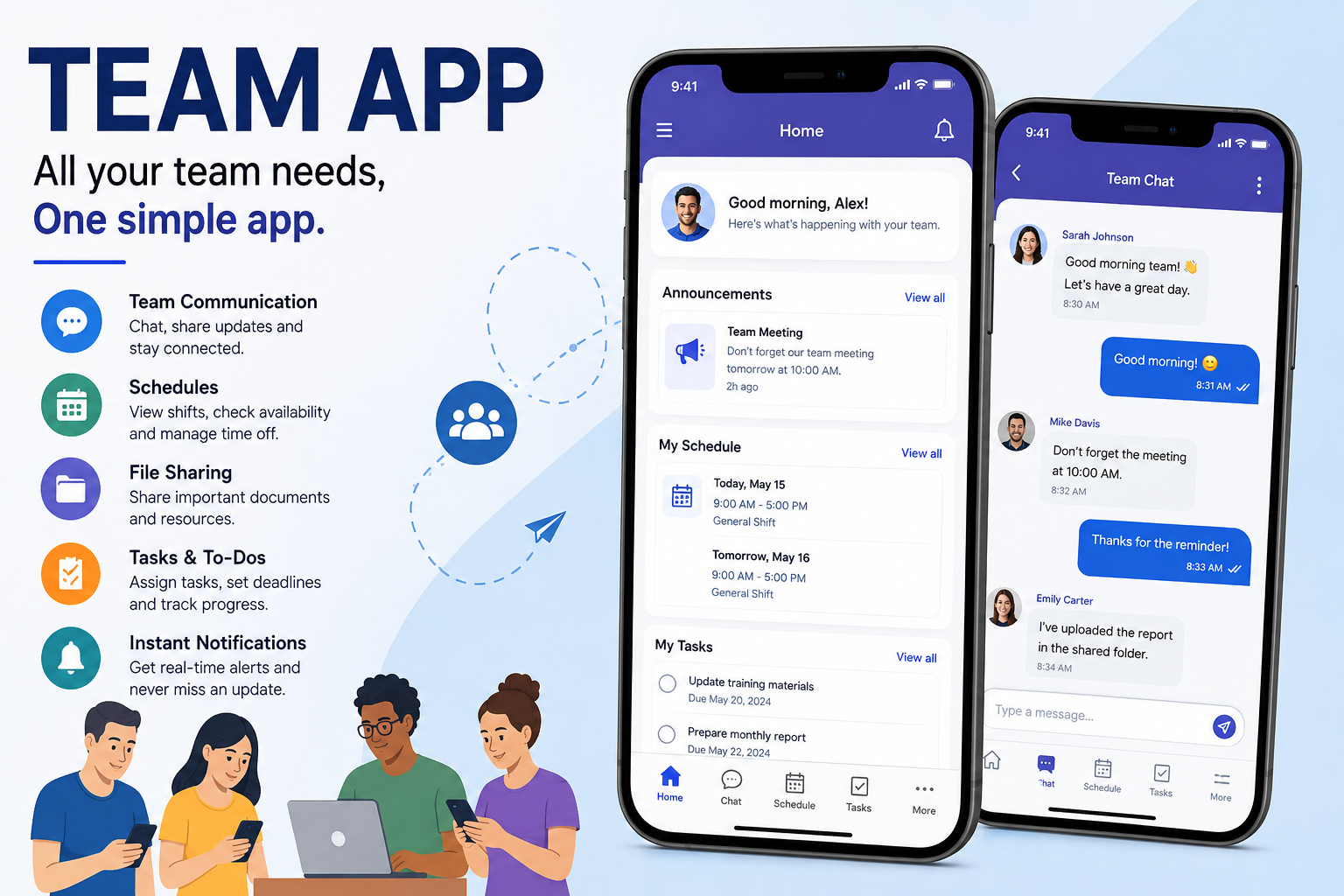
A team app is a digital platform designed to help groups of people communicate, collaborate, and organize their work. Depending on the platform, it may include messaging, announcements, scheduling, file sharing, task management, employee directories, notifications, and other workplace tools.
The main purpose is to make teamwork easier. Instead of relying on separate systems for every small task, employees can access important information from one central location. This can save time and make everyday communication much more straightforward.
Team apps can be used by many different types of organizations. Small businesses may use them to coordinate employees, while larger companies can use them to connect departments, offices, and remote workers. They are also useful for restaurants, retail businesses, construction companies, schools, healthcare organizations, and other workplaces where employees need quick access to updates.
Why Businesses Are Using Team Apps
One major reason businesses adopt a team app is the growing need for fast and reliable communication. Traditional communication methods can become inefficient when employees work different shifts, operate from different locations, or rarely sit together in the same office.
A team app allows managers to distribute important information quickly. An announcement can be shared with the entire team without sending dozens of individual messages. Employees can also receive notifications and check updates when it is convenient for them.
Another benefit is better organization. When schedules, conversations, files, and tasks are scattered across different platforms, employees may waste time looking for information. A centralized team app can reduce this problem by keeping important workplace information easier to find.
Key Features to Look for in a Team App
The features available will vary from one team app to another, but communication is usually one of the most important. Employees should be able to send messages, participate in group discussions, and receive important announcements without unnecessary complexity.
Scheduling is another valuable feature, particularly for businesses with hourly or shift-based employees. A useful scheduling system can help managers assign shifts while allowing employees to view their working hours. Some platforms may also provide options for shift changes, availability, or time-off requests.
File sharing and document management can also make collaboration easier. Instead of searching through old emails for a document, employees can access shared files from the team platform. Depending on the organization, this could include policies, training materials, forms, project documents, or workplace guidelines.
How a Team App Improves Workplace Communication
Good communication is at the center of effective teamwork. When employees do not receive information on time, small misunderstandings can quickly turn into larger operational problems. A team app can create a more consistent communication channel for the entire organization.
For managers, this means important announcements can reach the right people quickly. For employees, it means they have a convenient place to check updates instead of depending entirely on word-of-mouth communication.
A team app can also support two-way communication. Employees can ask questions, provide feedback, and communicate with colleagues or managers. This creates a more interactive workplace where information does not only flow from management to employees.
Team Apps and Employee Scheduling
Scheduling can be surprisingly complicated, especially in businesses where employees work different shifts. Creating schedules manually can take considerable time, and last-minute changes can create confusion.
A team app with scheduling features can simplify this process. Managers can publish schedules digitally, while employees can check their shifts from their phones or computers. When changes are necessary, updates can be communicated more efficiently.
This can also reduce scheduling mistakes. Instead of relying on printed schedules or messages sent through several different channels, everyone can refer to the same digital schedule. That shared source of information can make daily operations easier to manage.
Benefits for Remote and Distributed Teams
Remote work has changed the way many organizations think about collaboration. Employees may be working from home, different cities, or even different countries. Without a reliable communication system, it can be difficult to maintain a sense of connection.
A team app can give remote employees a central place to stay informed. Team discussions, announcements, documents, and project updates can remain accessible even when employees are not physically together.
It can also help reduce communication gaps between office-based and remote employees. Everyone can use the same platform, which makes workplace information more accessible and creates a more consistent team experience.
How Team Apps Can Increase Productivity
Productivity is not only about working faster. It is also about reducing wasted time and unnecessary interruptions. Employees can lose valuable working hours searching for information, checking multiple communication platforms, or waiting for basic answers.
A well-designed team app can bring these activities together. Employees know where to look for announcements, schedules, messages, and shared information. This can make everyday tasks more efficient.
Managers can also benefit from better visibility. Instead of asking employees individually for updates, they may be able to monitor tasks, schedules, or team communications through the platform. The result can be a more organized workflow with fewer unnecessary conversations.
Choosing the Right Team App for Your Business
Not every team app will be suitable for every organization. Before choosing one, businesses should think carefully about their actual needs. A small team may not need dozens of advanced features, while a large organization may require more detailed administration and security controls.
Ease of use should be a major consideration. If employees find the application confusing, adoption can become difficult. A platform with a simple interface and clear navigation is often more useful than one overloaded with features that nobody uses.
Businesses should also consider mobile access, integrations, security, pricing, support, and scalability. The right team app should fit the organization’s current requirements while also being capable of supporting future growth.
Security and Privacy Matter
Workplace communication often contains sensitive information. Businesses may discuss employee details, internal policies, customer information, projects, and other confidential subjects through their team communication systems.
For this reason, security should never be treated as an optional feature. Businesses should review how an app handles account protection, permissions, data storage, and access control before introducing it to employees.
It is also important to create clear internal guidelines. Employees should understand what information can be shared through the platform and how they are expected to protect their accounts. Even the most secure application cannot completely protect an organization if users ignore basic security practices.
Common Mistakes When Introducing a Team App
One common mistake is choosing an application simply because it has a long list of features. More features do not automatically mean a better experience. If the platform is complicated, employees may avoid using it or continue relying on older communication methods.
Another mistake is failing to establish clear communication rules. Employees should know which types of information belong in announcements, group chats, direct messages, or task areas. Without guidelines, the app can quickly become cluttered.
Poor training can also cause problems. Even an easy-to-use team app deserves a basic introduction. Businesses should explain the most important features and give employees an opportunity to become comfortable with the platform before expecting full adoption.
The Future of Team Apps
Team apps are likely to become even more integrated into everyday business operations. As organizations continue adopting flexible work models, there is greater demand for tools that connect employees regardless of where they work.
Artificial intelligence may also play a larger role in workplace collaboration. Future team platforms could help summarize conversations, organize information, identify important updates, automate routine tasks, and make it easier to find specific information.
Integration will be another important area. Businesses increasingly use multiple digital services, so team apps that connect with calendars, project management systems, file storage, payroll platforms, and other workplace tools can provide a more complete working environment.
Final Thoughts
A team app can be a valuable tool for businesses that want to improve communication, organization, and collaboration. By bringing workplace conversations, schedules, announcements, documents, and other important resources into one platform, it can reduce confusion and help employees stay connected.
However, choosing an app should not be based on popularity alone. Businesses should consider their team size, workflow, communication requirements, security needs, and budget before making a decision. A simple platform that employees actually use is often more valuable than an advanced system that creates unnecessary complexity.
Ultimately, the goal of a team app is to make teamwork easier. When the technology fits the organization’s needs and employees understand how to use it effectively, it can become an important part of a productive and connected workplace.